Apple Wallet Is Becoming More Than a Wallet
How iOS 27 and Featured Actions are changing what Wallet passes can do.
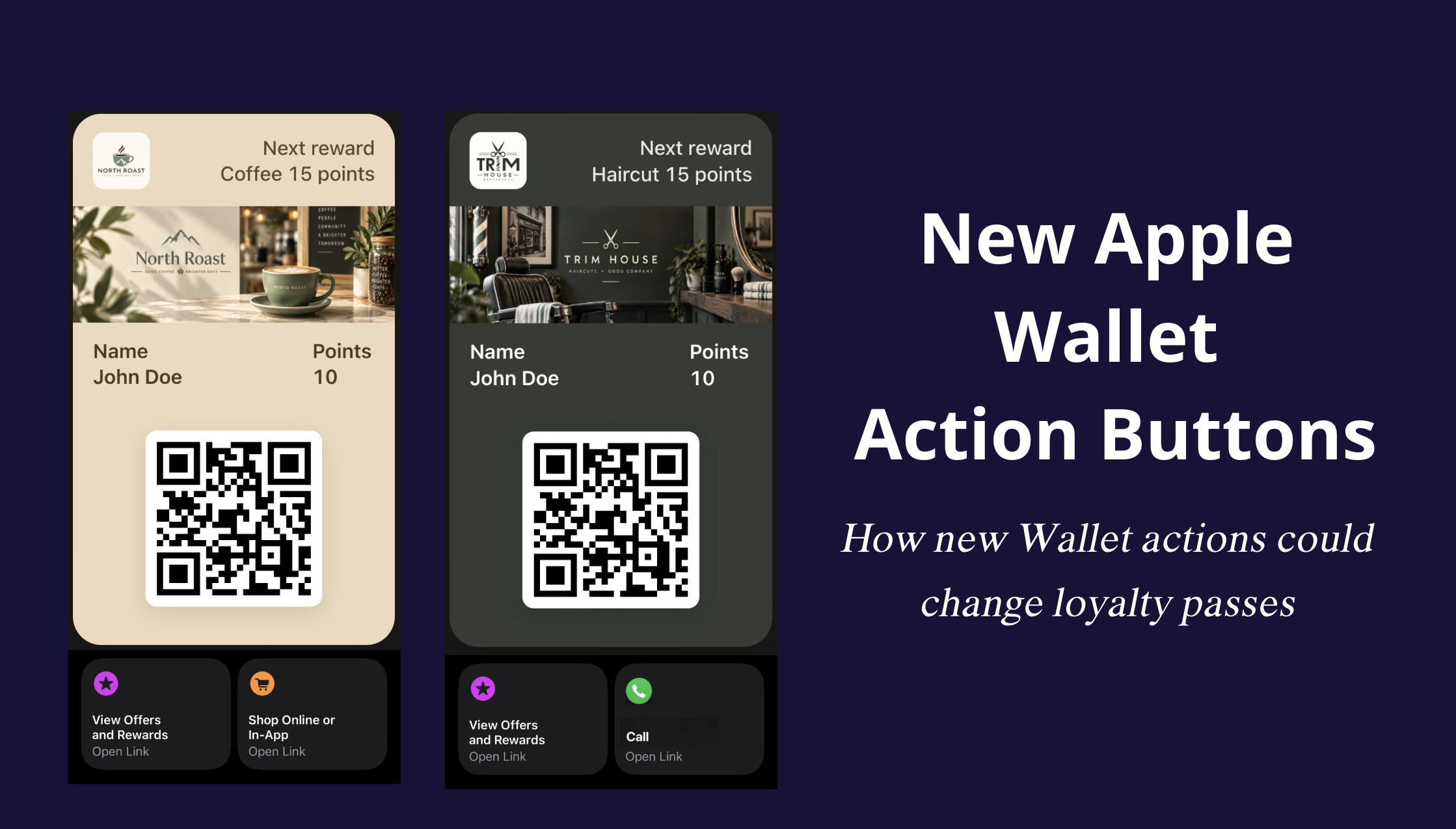
For a loyalty pass, opening Apple Wallet has usually been about seeing the information you need at that moment: your points, reward progress, membership details, or a QR code at the counter.
iOS 27 adds something new to that experience.
Apple is expanding Featured Actions across Wallet pass styles. These actions appear directly below a pass and give customers a visible way to do something next, such as view rewards, place an order, book an appointment, call a business, or open a location in Maps.
For loyalty programs, the practical change is visibility. Useful actions no longer need to sit only inside Pass Details or somewhere else the customer has to look for them.
What changed in Apple Wallet with iOS 27?
Featured Actions themselves are not completely new. Apple previously supported additional actions with its newer event ticket experience.
With iOS 27, Apple is introducing a flexible Featured Actions API for all Wallet pass styles.
A pass can include up to two Featured Actions. Each action has its own identifier, type, and destination. Apple gives the example of linking an action to a URL, while other supported actions can open experiences such as Maps or a phone call.
Wallet handles how the action is presented below the pass, including its icon and localized call-to-action. Businesses choose the relevant action and where it should lead.
Apple also recommends keeping the list focused. If a pass includes two actions, they should be the ones most relevant to the customer and should be provided in priority order.
What can Featured Actions do?
Apple supports Featured Actions for several different use cases.
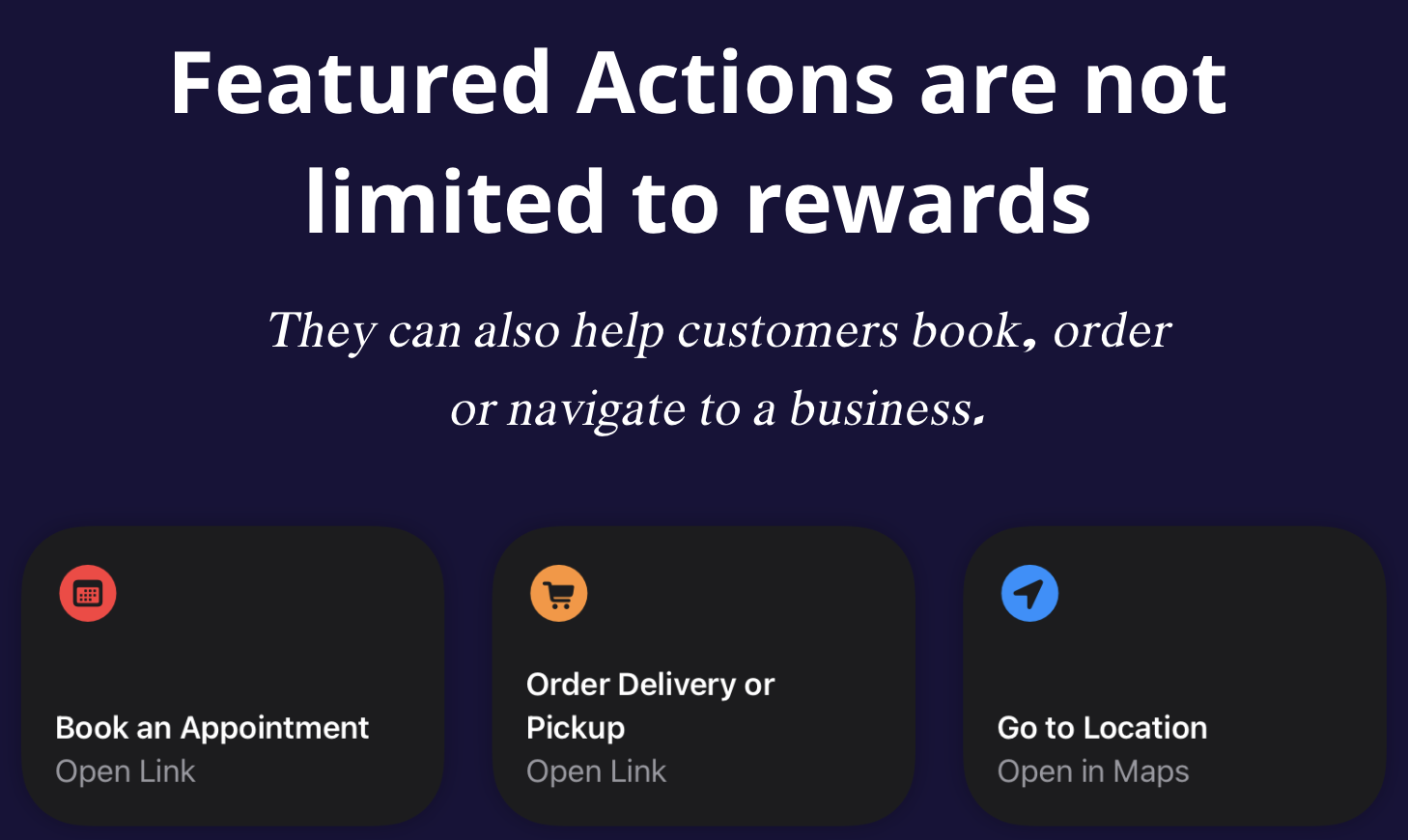
For loyalty and local businesses, some of the most relevant include:
- View Offers and Rewards
- View Membership Benefits
- Shop Online or In-App
- Order Delivery or Pickup
- Book an Appointment
- Call
- Go to Location
The important part is that these actions can connect the Wallet pass to experiences a business already uses.
A restaurant does not need Wallet itself to become its ordering system. Order Delivery or Pickup can lead customers to an existing ordering experience.
A barbershop does not need its booking system to live inside the pass. Book an Appointment can lead to the booking provider the business already uses.
Call can connect directly to the business, while Go to Location can open the relevant place in Maps.
This gives the pass more practical value without forcing every service into one platform.
Why visibility matters for loyalty
Wallet passes have always been able to contain more information than what appears on the front of the card.
Apple supports back fields for additional information, but those fields are only visible when someone opens Pass Details.
Featured Actions are different because they appear as visible cards while the customer is looking at the pass.
That distinction matters for loyalty.
If someone opens a loyalty card to check their points or scan their QR code, an important action can now appear in the same experience instead of being hidden behind another screen.
For a rewards program, that could mean opening available rewards immediately.
For a café, it could mean moving from the loyalty pass to the ordering page.
For a service business, it could mean booking the next visit.
The pass still does its original job. It simply has a clearer route to the next useful action.
How Loyaltree can use Featured Actions
For Loyaltree, the most natural first use is View Offers and Rewards.
A customer already uses the pass to see their loyalty information. Giving them direct access to available rewards makes that experience more complete without asking them to search for another page or download a separate customer app.
Other Featured Actions can extend the pass depending on the type of business.
A café or restaurant could connect Order Delivery or Pickup to the ordering service it already uses.
A barbershop or salon could link Book an Appointment to its existing booking provider.
Call can give customers a direct way to contact the business, while Go to Location can help them get there.
These integrations do not require Loyaltree to become a booking platform, delivery service, or maps product. The Wallet pass can act as the connection between the loyalty experience and the tools the business already relies on.
That is particularly useful for local businesses, where the customer journey often spans several different services.
Two actions means choosing carefully
Apple allows a maximum of two Featured Actions on each pass.
That makes the choice important.
A café might decide that rewards and ordering are the two actions customers need most.
A service business might prefer booking and calling.
Some businesses may only need one.
Adding an action simply because it is available would make the pass less focused. The best choice depends on what customers are actually likely to do when they open it.
Apple's own recommendation is similar: use the most meaningful and relevant actions, and place them in priority order.
Where this takes Apple Wallet
Featured Actions do not replace websites, apps, booking systems, or ordering platforms.
They give Wallet passes a more direct connection to those experiences.
For loyalty, that makes the pass useful at more moments than the checkout alone. It can still show points, rewards, customer information, and a QR code, while also providing a direct path to the action that matters next.
For Loyaltree, the immediate opportunity is clear: make rewards easier to reach from Apple Wallet, then connect each business to the actions that make sense for its customers.
References & further reading
Primary sources and further reading from Apple: